
Pixicular vs Google Cloud Vision
How two image-analysis APIs compare on request shape, billing, and feature coverage for developers shipping production image pipelines.
Published 2026-05-28
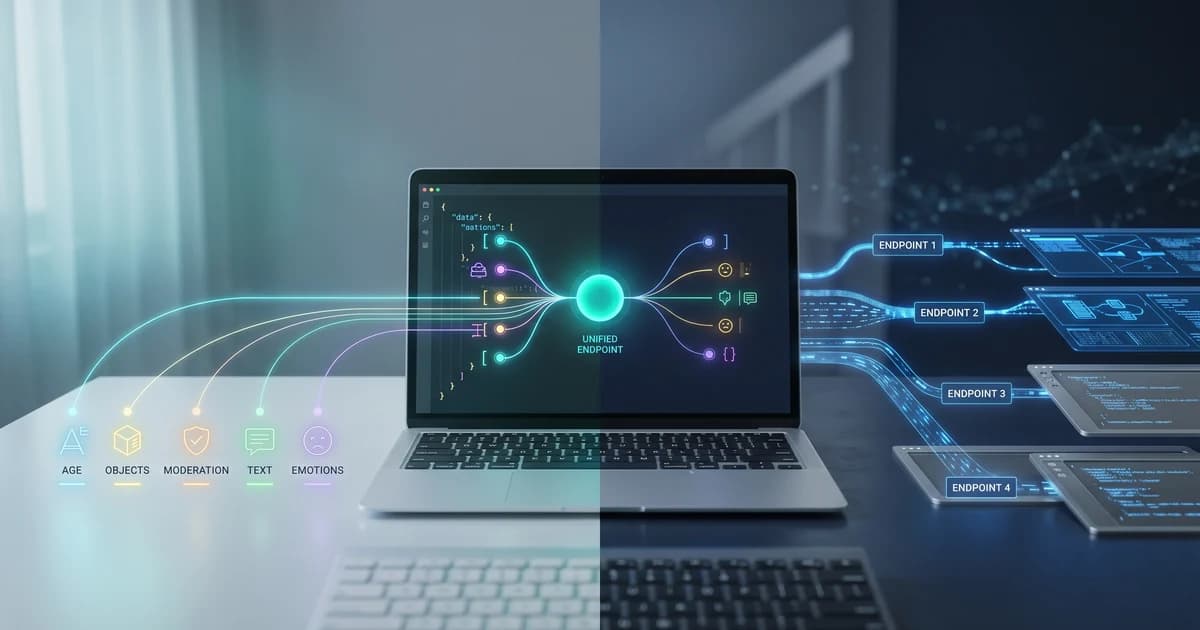
TL;DR. Pixicular vs Google Cloud Vision comes down to billing and request shape. Vision meters every feature you enable per image — labels, SafeSearch, OCR, faces — even inside a single annotateImages call. Pixicular accepts one POST with a list of services and returns one JSON response on flat monthly plans. For multi-service workflows it is fewer line items and less plumbing.
What is Google Cloud Vision and where does Pixicular fit?
Google Cloud Vision is the managed image-analysis API inside Google Cloud, exposing a wide surface: label detection, SafeSearch content moderation, OCR (both TEXT_DETECTION and DOCUMENT_TEXT_DETECTION), face detection with joy/sorrow/anger and surprise likelihoods, landmark and logo detection, web entities, product search against your own catalog, and the broader Document AI family for structured forms. It is well integrated with Cloud Storage, Pub/Sub, BigQuery, and the rest of the GCP toolchain.
Pixicular's image analysis API targets the same core jobs developers reach for first — labels, moderation, OCR, age, face emotions — but collapses them behind a single endpoint and a flat per-operation billing model. There is no GCP project to provision, no service account to mint, no Cloud Storage bucket to wire up.
How does the pricing actually work?
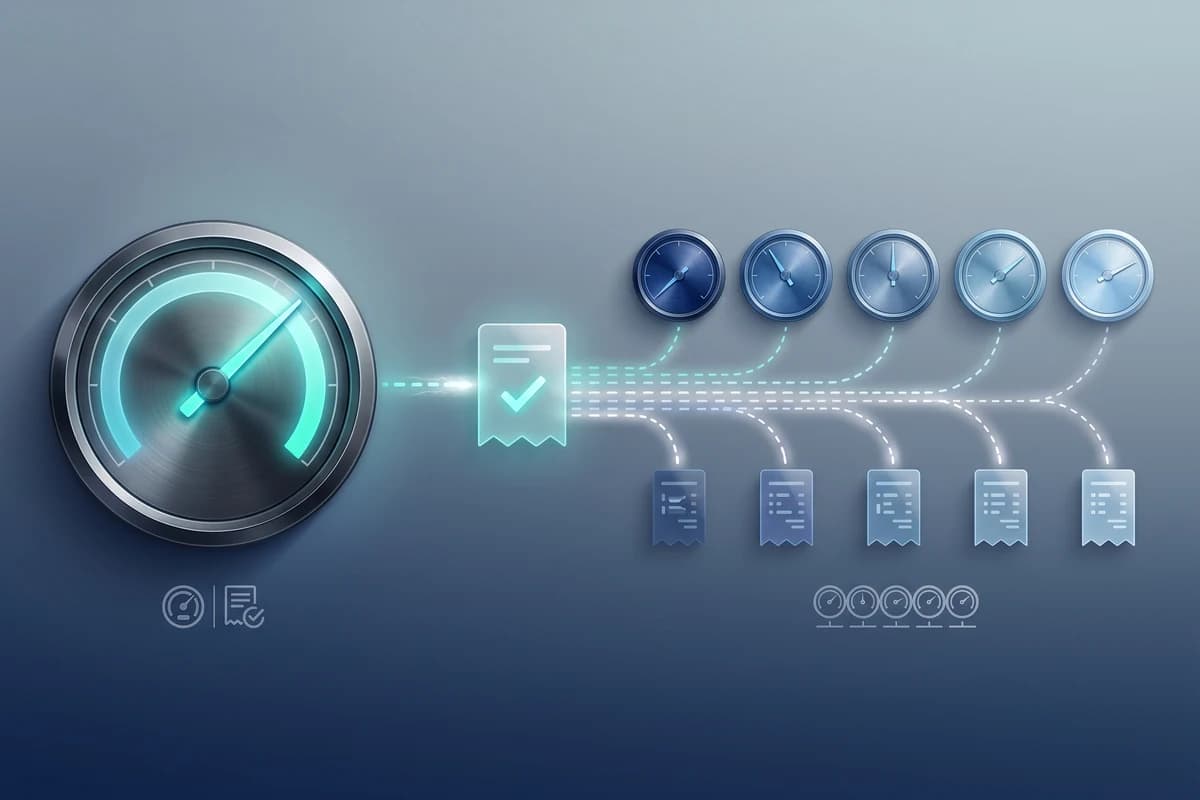
Google Cloud Vision is metered per feature, per image. If you enable LABEL_DETECTION and SAFE_SEARCH_DETECTION on the same image inside one annotateImages call, that is two units billed, not one. Each feature has its own per-1,000-image rate, and the rate steps down once monthly volume crosses one million units — but the first units of each feature are also covered by a small monthly free allowance. The structure is flexible, but the line item count on your invoice grows linearly with the number of features you enable.
Pixicular bills flat monthly plans that bundle a fixed number of AI operations per month. The Developer plan is free, with 1,000 AI operations a month. Launch is $25/month for 10,000 operations, Scale is $99/month for 40,000, and Business is $299/month for 200,000. Each requested service inside a single call counts as one operation, but the request, response, and dashboard entry are unified — you do not chase several invoice lines to reconcile one image. See the full plan ladder on the Pixicular pricing page.
How do the request shapes compare?
Both APIs let you ask for multiple analyses of one image in one network round trip — but the shape is different, and that changes how easy each is to wire into a backend or test from a terminal.
Google Cloud Vision expects a JSON request body. The image is either base64-encoded inline or referenced as a gs:// URI in Cloud Storage. You list each feature you want in a features array — LABEL_DETECTION, SAFE_SEARCH_DETECTION, TEXT_DETECTION, FACE_DETECTION — with optional maxResults tuning per feature. The response is a single annotateImages object with one keyed annotation per feature.
Pixicular accepts the image directly as multipart form data and a single comma-separated services parameter — no base64 wrapping, no storage bucket needed. The response is one JSON document with one key per requested service. For curl-driven exploration, debugging from a terminal, or hooking up a webhook handler, that shape is fewer moving parts.
Feature and pricing comparison table
| Capability | Pixicular | Google Cloud Vision |
|---|---|---|
| Request model | One POST /detect with a comma-separated services parameter | One annotateImages call with a features[] array (each entry billed separately) |
| Pricing model | Flat monthly plans billed per AI operation (free Developer plan, $25, $99, $299) | Per-feature, per-1,000-images pricing with volume tiers above 1M units/month |
| Multiple analyses per image | One billed operation per service requested, returned in one JSON response | Each feature in features[] is metered and billed independently |
| Label / object detection | detect-labels | LABEL_DETECTION |
| Content moderation | detect-moderation (nudity, explicit, violence, suggestive, drug categories) | SAFE_SEARCH_DETECTION (adult, spoof, medical, violence, racy likelihoods) |
| OCR / text extraction | detect-text with bounding boxes and per-block confidence | TEXT_DETECTION and DOCUMENT_TEXT_DETECTION |
| Age estimation | detect-age as a first-class service | Not offered as a feature; only joy/sorrow/anger/surprise likelihoods via FACE_DETECTION |
| Face emotion recognition | detect-face-emotions (happy, sad, angry, surprised, neutral, disgusted, fearful) | FACE_DETECTION returns joy/sorrow/anger/surprise likelihoods only |
| Landmark, logo, web entity, product search | Not offered | LANDMARK_DETECTION, LOGO_DETECTION, WEB_DETECTION, PRODUCT_SEARCH |
| AI-generated image detection | Returning soon (currently disabled) | Not offered |
| Dashboard request history with image previews | Every call is stored with an image preview, browsable and retrievable via the API | Not offered — responses are not stored; you build your own request log |
| Infrastructure footprint | Standalone API — no Google Cloud project required | Requires a GCP project, billing account, IAM service account, and (typically) Cloud Storage |
Google Cloud Vision publishes per-feature rates and the monthly free tier on its own pricing pages. Pixicular's plan ladder lives on the pricing page. If you only need raw object and label detection, the comparison is closer; once you layer moderation, OCR, or age on top, the per-image gap widens quickly.
Code: labels + moderation + OCR + emotions in both APIs
Below is the same job — label detection, content moderation, OCR, and face emotion analysis for a single image — expressed in Pixicular and in Google Cloud Vision.
Pixicular — one request, one JSON response
curl -X POST https://api.pixicular.com/detect \
  -H "Authorization: Bearer $PIXICULAR_API_KEY" \
  -F "image=@./photo.jpg" \
  -F "services=detect-labels,detect-moderation,detect-text,detect-face-emotions"
The response is one JSON document keyed by service name: detect-labels, detect-moderation, detect-text, detect-face-emotions. See the Pixicular API documentation for the full schema and authentication details.
Google Cloud Vision — one annotateImages call, four billed features
# Google Cloud Vision: one annotateImages call with a features array.
# Each feature is billed as a separate unit per image.
curl -X POST \
  -H "Authorization: Bearer $(gcloud auth print-access-token)" \
  -H "x-goog-user-project: ${GCP_PROJECT_ID}" \
  -H "Content-Type: application/json" \
  https://vision.googleapis.com/v1/images:annotate \
  -d '{
    "requests": [{
      "image": { "source": { "imageUri": "gs://my-bucket/photo.jpg" } },
      "features": [
        { "type": "LABEL_DETECTION",       "maxResults": 20 },
        { "type": "SAFE_SEARCH_DETECTION" },
        { "type": "TEXT_DETECTION" },
        { "type": "FACE_DETECTION",        "maxResults": 10 }
      ]
    }]
  }'
Vision's response groups each annotation under its own key — labelAnnotations, safeSearchAnnotation, textAnnotations, faceAnnotations. The request is one HTTP call, but the bill counts four units for that one image. There is also no direct age field on FACE_DETECTION — Vision returns joy, sorrow, anger, and surprise likelihoods, not an estimated age range.
Where do the feature sets actually overlap?
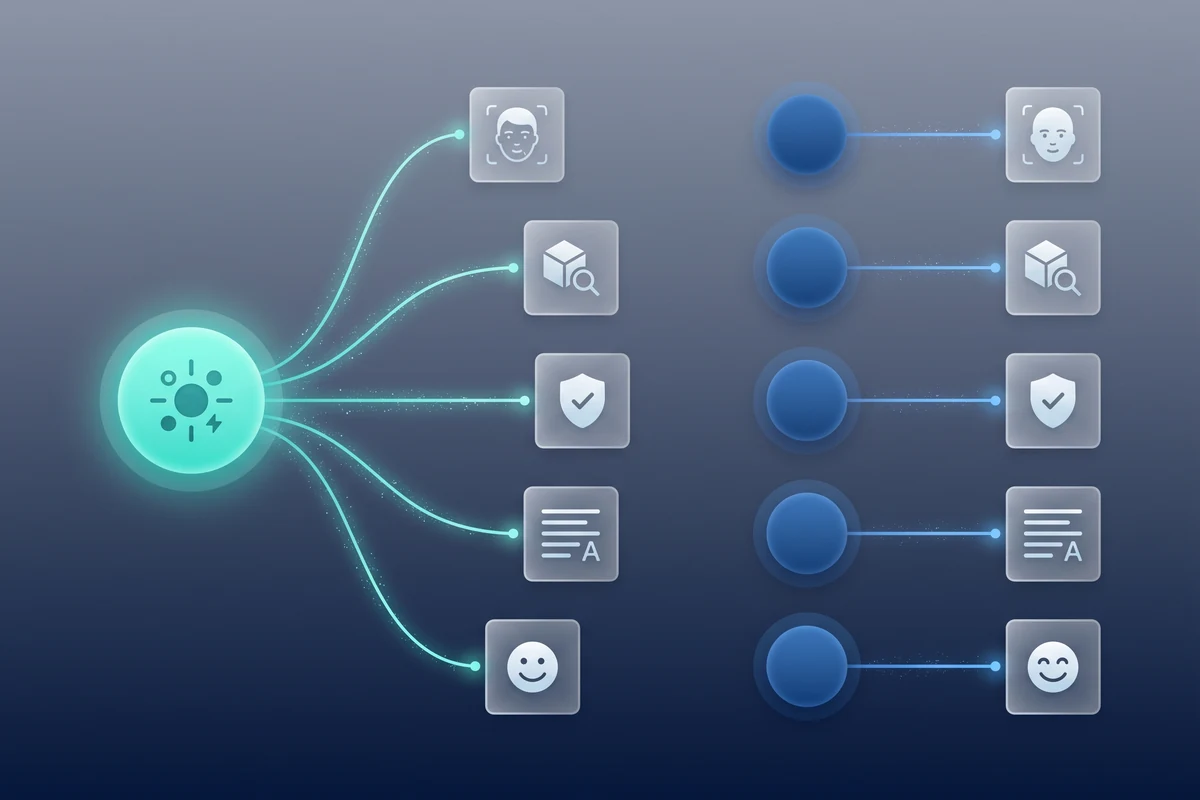
The honest answer is: on the still-image analysis surface most backends actually use, the two services overlap by 80 to 90 percent. Label detection, OCR, content moderation, and face attribute detection are the workhorses, and both APIs cover all four. Where Vision pulls ahead is in the long tail — landmark and logo detection, web entity matching, product search against your own catalog, and the broader Document AI family for structured form parsing. Pixicular does not expose any of those today.
Where Pixicular pulls ahead is on developer ergonomics: first-class age estimation as its own service, dashboard request history with image previews stored for every call, and a single billed plan covering the whole bundle. If your roadmap is closer to user-generated content moderation, KYC document extraction, or marketplace listing screening, the narrower surface is usually a feature, not a limitation. The compatible underlying primitives are also why the comparison with AWS Rekognition looks similar — Pixicular is opinionated toward still-image moderation and analytics, not at the whole vision platform.
When should you pick Pixicular?
- Your image pipeline regularly needs more than one analysis per image — moderation plus labels, age plus moderation, OCR plus labels — and you want one billed call instead of a feature array that meters each line item separately.
- You want predictable monthly billing instead of stacked per-feature, per-1,000-images rates that move with your volume tier.
- You are not on Google Cloud, or you do not want to take on a GCP project, IAM service account, and Cloud Storage bucket just to add image moderation or OCR to a product.
- You need a first-class age estimate per face, not an emotion likelihood vector that you then have to derive other signals from.
- You want a dashboard with stored request history and image previews you can audit without building your own logging side-channel.
When should you stay on Google Cloud Vision?
Vision is the right pick when you depend on features Pixicular does not expose: landmark and logo detection for travel and brand-tracking apps, web entity matching, product search against your own catalog, or Document AI for structured form parsing. It is also the right pick when your stack is already GCP-native and Cloud Storage event triggers, Pub/Sub fan-out, or BigQuery loading are doing real work in the rest of your pipeline.
A note on AI-generated image detection: Pixicular's detection of AI-generated imagery is currently disabled while accuracy is being improved and is returning soon. Google Cloud Vision does not currently offer a dedicated AI-generated-image detector either. If that signal is essential to your product today, neither service alone will cover it.
Frequently asked questions
Is Pixicular a good Google Cloud Vision alternative?
Pixicular is a fit for teams that want most of Google Cloud Vision's still-image surface — label detection, OCR, content moderation, and face attributes — without per-feature billing or a GCP project. One POST request can return labels, moderation flags, age estimates, OCR text, and face emotions together. AI-generated image detection is currently disabled in Pixicular and is returning soon.
How does Pixicular's pricing compare to Google Cloud Vision?
Google Cloud Vision bills per feature, per 1,000 images, with rates that drop after one million units per month and a separate line item for each feature you enable. Pixicular charges flat monthly plans billed per AI operation: a free Developer plan with 1,000 operations a month, Launch at $25/month for 10,000 operations, Scale at $99/month for 40,000, and Business at $299/month for 200,000. When a single image needs several analyses, Pixicular's per-image cost is usually lower and simpler to forecast.
Does Pixicular do everything Google Cloud Vision does?
Pixicular covers the most-used Vision API features: label detection, content moderation (SafeSearch equivalent), OCR text extraction, age estimation from faces, and face emotion recognition. It does not currently expose landmark detection, logo detection, web entities, product search, or Document AI form parsing. If your workflow depends on those Vision-specific features, stay on Google Cloud Vision. Otherwise, Pixicular's narrower surface is usually faster to integrate.
How do request shapes differ between the two APIs?
Google Cloud Vision uses a JSON request body that lists each feature you want — LABEL_DETECTION, SAFE_SEARCH_DETECTION, TEXT_DETECTION, FACE_DETECTION — and returns one response per feature within a single annotateImages call. Pixicular accepts the image as multipart form data plus a services parameter, then returns one JSON document keyed by service name. Pixicular is simpler to debug from curl, Vision is more flexible if you want different maxResults per feature.
When should I stay on Google Cloud Vision?
Stay on Google Cloud Vision when you need landmark or logo detection, web entity matching, product search against your own catalog, Document AI structured parsing, or tight integration with Vertex AI, BigQuery, and Cloud Storage triggers. Vision is also the right pick if your workload is locked to a specific GCP region or your billing is already consolidated under a Google Cloud contract.
Try the single-endpoint model
The fastest way to see whether Pixicular fits your image pipeline is to point a curl request at it. Start on the pricing page to pick a plan, then follow the API documentation for authentication, request shape, and JSON response examples for each service.